Breast Augmentation Simulation
See Your Breast Augmentation Result Before Surgery
Upload a photo and the AI shows you a realistic result on your own body. Try different implant sizes, from natural to fuller, in about 30 seconds.
Upload a photo, or try a model belowDrop a photo here, or try a model below
Surgeon? This simulator turns your website visitors into patient leads, exactly like this page.
Book 15 minutes →Real Breast Augmentation Simulations
AI-generated visualizations created with ClinicOS. Results are for illustration purposes only.
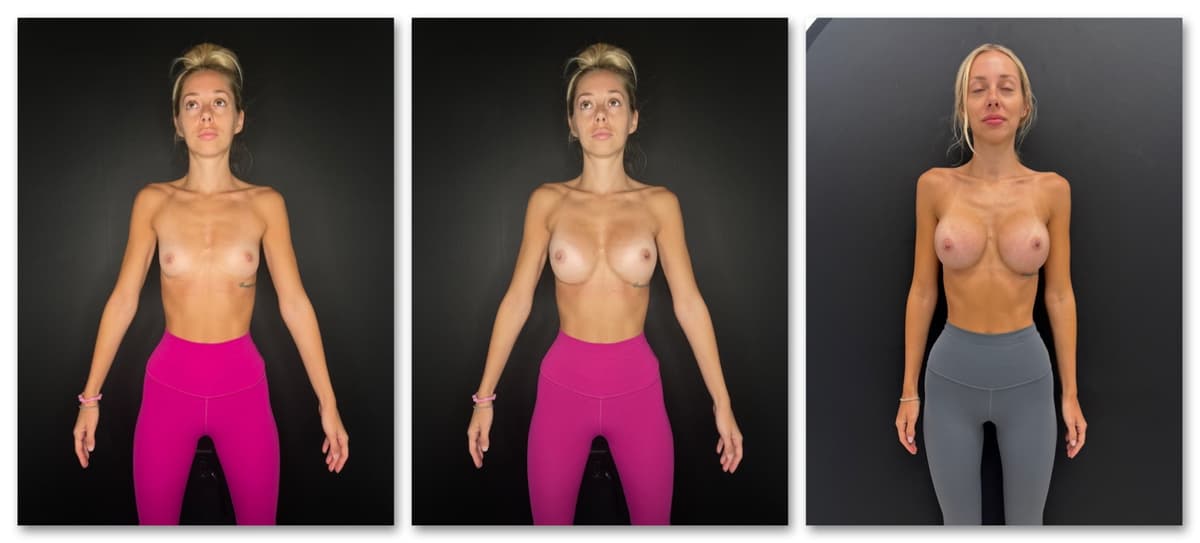
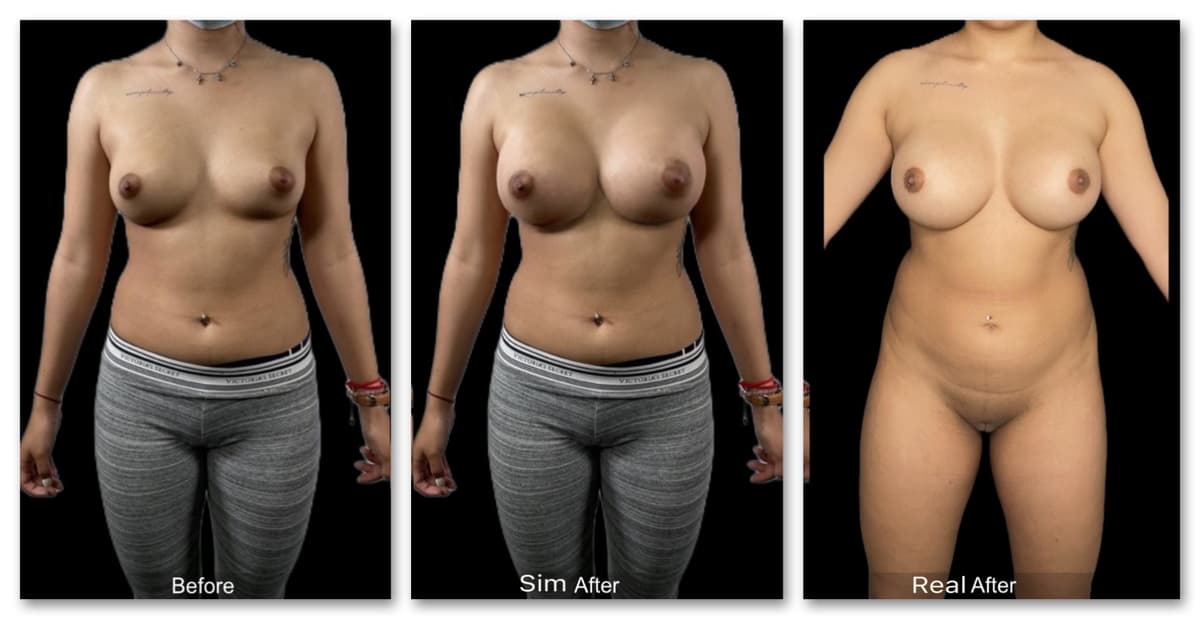
Set Better Expectations. Close More Breast Augmentation Consults.
See it on your own body
Not someone else's before and after. The simulation is built on your own photo, so you see what the change could look like on you.
Compare implant sizes
Slide between sizes and see how each one looks on your frame before you decide.
Bring it to your consultation
Show your surgeon exactly what you have in mind, and ask what is realistic for your body.
Frequently Asked Questions
What photo works best?
A front-facing photo of your torso in good light, taken on your phone.
Can I try different implant sizes?
Yes. A slider lets you compare sizes, from a subtle change to a fuller look.
Is it free?
Yes. You can see your simulation at no cost.
How realistic is it?
The AI is trained on real results, so the simulation is realistic, but it is an illustration, not a guarantee. Your final result depends on your anatomy and your surgeon.
How do I choose a surgeon for breast augmentation?
Look for a plastic surgeon who does breast augmentation often, ask to see before-and-after photos of their own patients with a body like yours, and check their board certification in your country. Ask who looks after you after surgery.
What should I ask at my consultation?
How many breast augmentation procedures they do a year, which technique they recommend for you and why, what your recovery will look like, the total cost including anesthesia and the facility, and what happens if you need a revision. Bring your simulation so you can show the result you have in mind.
What is recovery like?
It varies from person to person and by technique, so your surgeon will give you your own timeline. Ask about time off work, when you can exercise again, and what you will need at home in the first days.
How much does breast augmentation cost?
It depends on the surgeon, the city and your case, so only a consultation gives you a real quote. Ask whether the quote includes anesthesia, the facility and follow-up visits.
Is my photo private?
Yes. Your photo is only used to create your simulation and is never published.
Are you a surgeon?
Put this same simulator on your website so patients run it on themselves and leave their number to see the result. Visit clinicos.ai to set it up.
Set realistic expectations. Close more breast augmentation consults.
Download ClinicOS free and try it on your next consultation. Patients leave aligned on the plan and ready to book.