AI Voice Notes for Aesthetic Practices
Talk to your patient. The chart writes itself.
ClinicOS listens to the consult, fills your structured template, and auto-saves the note to your EMR. Stop typing. Stop copy-pasting. Stop missing details that matter.
Works on iPad, iPhone, and web. Syncs to DrChrono, Nextech, ModMed and more.
Trusted by aesthetic surgeons and medspa operators



The loop that makes documentation disappear
Four steps. The same workflow your team already uses — minus the typing, copy-pasting, and after-hours catch-up.
Pick the template
Choose Consultation, Follow-Up, Pre-Op, or your own custom template. Each one has its own structured fields.
Have the conversation
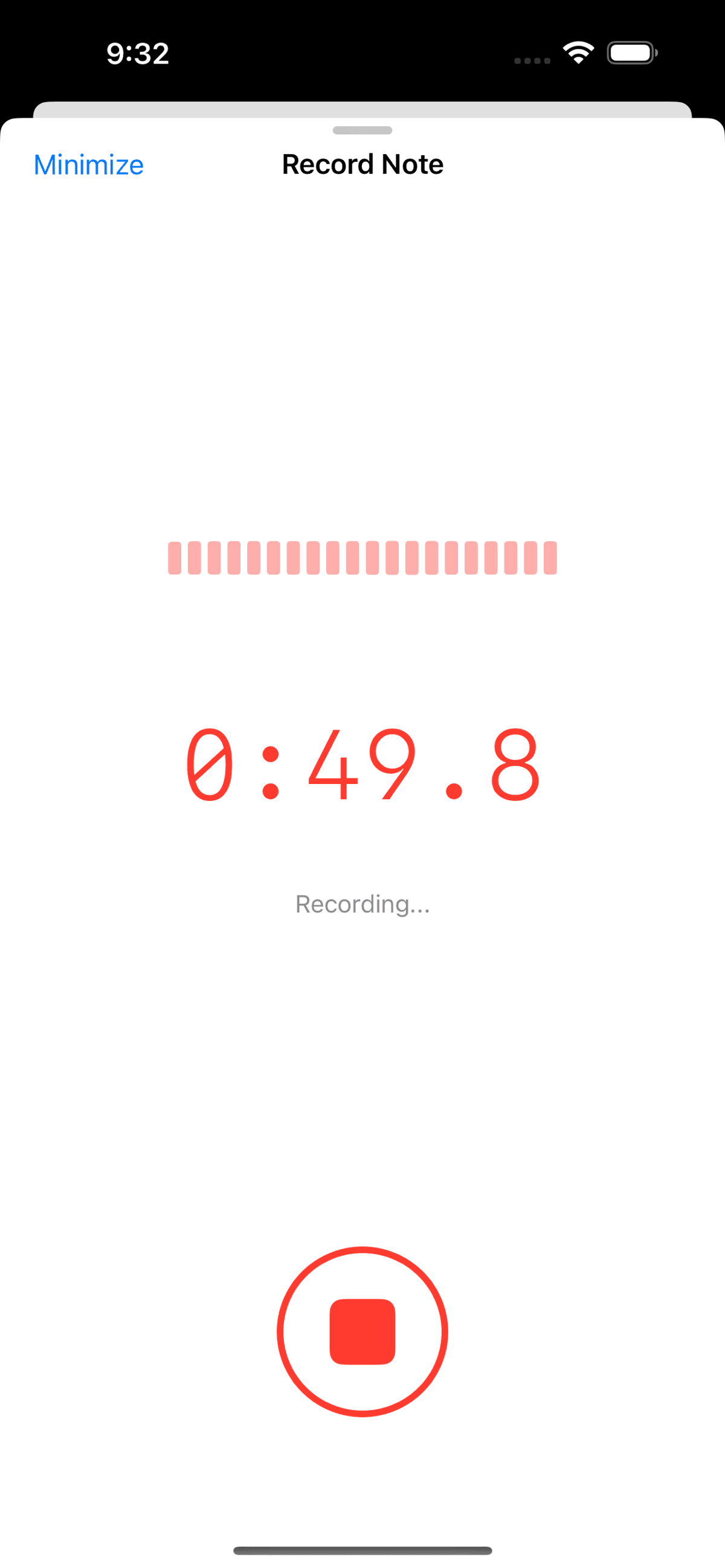
Hit record on your iPhone or iPad. Talk to the patient like you normally would — no scripts, no prompts.
Template auto-fills
ClinicOS transcribes the conversation and populates every field in your template — chief complaint, history, plan, dosages.
Auto-saves to your EMR
Toggle EMR sync on once. From then on, signed notes flow into the patient chart automatically. No copy-paste.
EMR Integrations
Your chart, your EMR, your workflow
Sign the note in ClinicOS and it lands in the patient's EMR chart automatically. No exporting PDFs. No re-keying. No copy-paste.
Don't see yours? Tell us what you use — we add integrations based on customer demand.
HIPAA-compliant · Encrypted in transit and at rest · Recordings deletable on demand
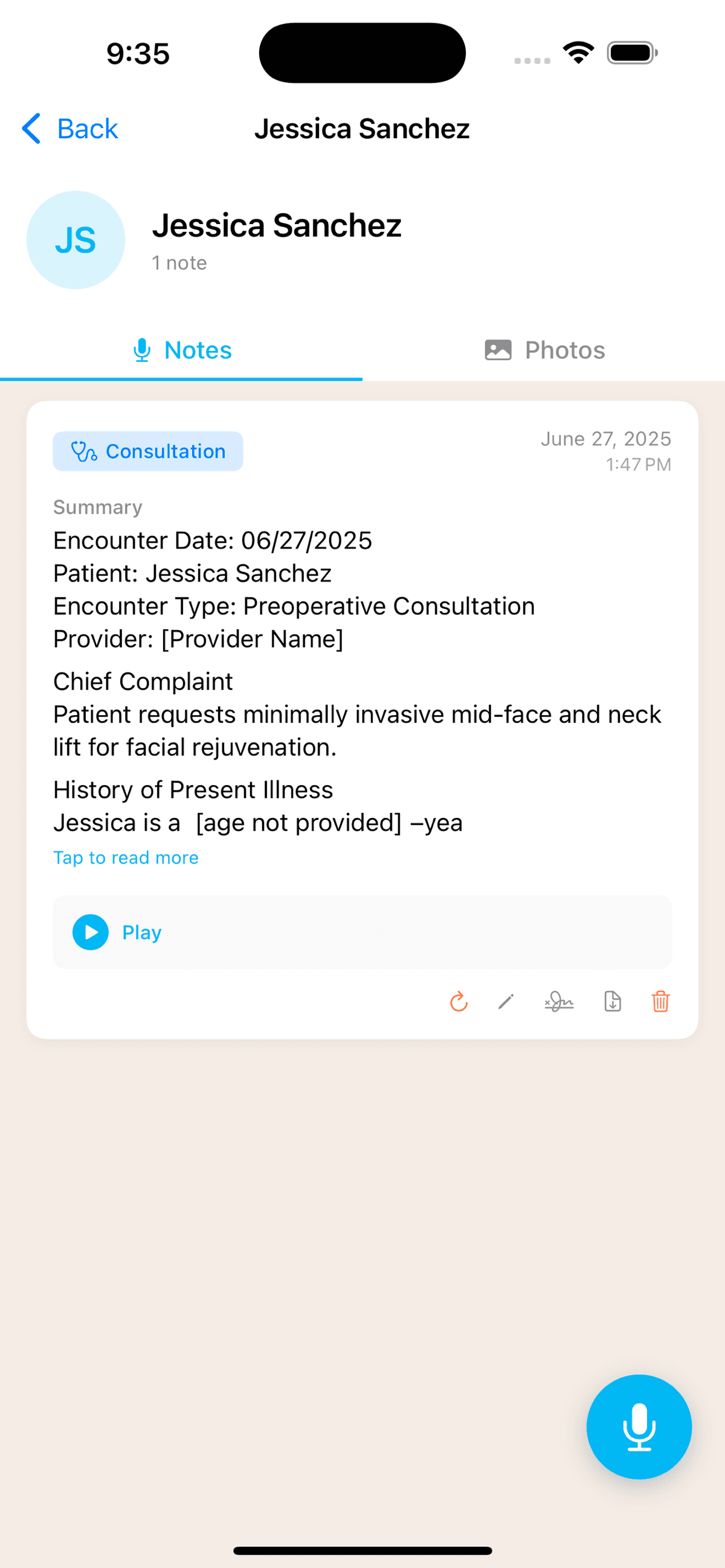
Structured templates, not generic transcripts
A consult note is structured differently than a follow-up or phone call. ClinicOS knows the difference. Pick the template, and the AI fills the right fields — chief complaint, history, exam, plan, dosages, follow-up — from what was actually said.
Build your own template once. Every note from then on follows your structure.
All Voice Notes Features2 hrs
saved per surgeon daily
< 5 sec
to generate the note
100%
same-day chart completion
“I finish my last patient and my notes are already in the chart.”
I used to stay an extra hour or two every day catching up on documentation. Now I leave on time. The AI captures details I used to miss — medication dosages, specific patient concerns, follow-up timelines — and they're already in the EMR when I walk out the door.
Dr. Bienstock
Read the full case study →Voice Notes is one part of ClinicOS
Surgeons who try Voice Notes typically turn on the rest of the platform within a month. Here's what else comes with your account.
Common questions
Is ClinicOS HIPAA-compliant?+
Yes. Recordings are encrypted in transit and at rest, stored in your ClinicOS account, and deletable on demand. We sign BAAs with practices on request.
Which EMRs does it sync with?+
DrChrono, Nextech, ModMed, Tebra, athenahealth, AestheticRecord, Symplast, PatientNow, and Aesthetics Pro. New integrations are added based on customer demand — tell us yours if you don't see it.
Can I add to the same patient note later — say, a physical exam after a phone intake?+
Each encounter (consultation, follow-up, physical exam) becomes its own note attached to the same patient record. You can review intake and exam side by side on the patient timeline and export them together.
How long does it take to generate the note?+
Under 5 seconds for most consults. You can review, sign, and sync to your EMR before walking out of the room.
How does pricing work — per provider or per practice?+
One flat rate per practice. Every surgeon, coordinator, nurse, and front-desk user is included on every plan. See pricing for tier details.
What if a required section wasn't discussed during the consult?+
Each template can be configured to flag sections that weren't covered in the recording, so omissions don't slip through to your EMR. You can also reprocess the recording against a different template if the encounter type changed.
Stop charting after hours. Try Voice Notes free.
Download ClinicOS, record your next consult, and watch the note land in your EMR. Your first 5 recordings are on us.