How Dr. Bienstock Saves 2 Hours a Day with AI Voice Notes
A plastic surgeon replaced manual note-taking with AI-powered voice transcription and clinical summaries — and never looked back.
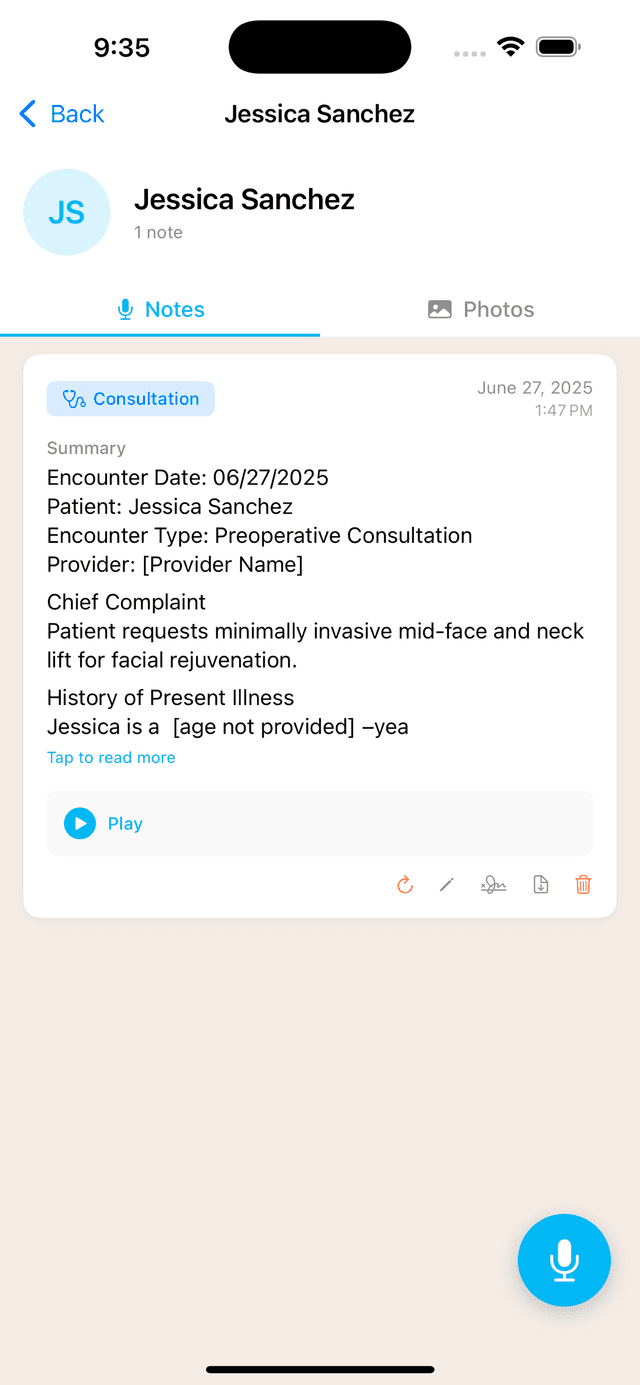
The Challenge
Dr. Bienstock runs a busy plastic surgery practice. Between consultations, follow-ups, phone calls, and pre-op markings, he was spending nearly two hours every day on clinical documentation. Typing notes between patients slowed him down. Dictating into a generic transcription app still required heavy editing to get clinically accurate summaries. And the backlog of unsigned notes was growing.
“I'd see 8 patients in a day and then spend my evening catching up on notes,” says Dr. Bienstock. “It was the single biggest drain on my time.”
The Solution: ClinicOS AI Voice Notes
Dr. Bienstock started using ClinicOS Voice Notes to record his consultations directly from his iPad. The workflow is simple:
Select the note type
Choose from Consultation, Follow-Up, Phone Call, Markings, or any custom type.
Hit record
Speak naturally during the patient encounter. The recording runs in the background.
Get your summary
AI transcribes the audio and generates a structured clinical summary in seconds.
Sign and export
Review, edit if needed, digitally sign, and export as PDF or sync to your EMR.
The AI doesn't just transcribe — it understands clinical context. A consultation note is structured differently from a follow-up visit or a phone call. The system adapts its output based on the encounter type, producing summaries that match how Dr. Bienstock actually documents.
Key Features That Made the Difference
Works offline
Audio is recorded and stored locally, then syncs when connected. No dropped recordings in areas with poor WiFi.
Custom note types
Dr. Bienstock created custom encounter types for his practice — including 'Pre-Op Review' and 'Insurance Call' — so every note is formatted exactly how he needs it.
Digital signatures
Sign notes directly in the app. No printing, no scanning. Signed notes are locked and exportable as signed PDFs.
EMR sync
Notes automatically upload to his EMR system. Toggle auto-sync on and documentation flows straight into the patient record.
Edit and reprocess
Made a note with the wrong type? Reprocess it as a different encounter type without re-recording. Edit the AI summary before signing if needed.
The Results
2 hrs
saved per day on documentation
100%
of notes completed same-day
0
unsigned notes in backlog
“I finish my last patient and my notes are already done,” says Dr. Bienstock. “I used to stay an extra hour or two every day. Now I leave on time. That alone is worth it.”
The quality of documentation improved too. AI-generated summaries capture details that manual notes often miss — medication dosages mentioned in passing, specific patient concerns, follow-up timelines. And because the original audio is always available, there's a complete record if anything needs to be revisited.
Why It Works for Busy Surgeons
The voice notes system was built specifically for how surgeons actually work. Recordings happen during the encounter, not after. The AI understands medical terminology and procedure-specific context. And the entire workflow — record, transcribe, summarize, sign, export — happens inside the same app surgeons already use for simulations and patient photos.
No separate transcription service. No copy-pasting between apps. No training staff on a new system. Just tap record and talk.
Ready to save 2 hours a day?
Download ClinicOS free and try AI Voice Notes on your next patient encounter. Your first 5 recordings are on us.